Android app · Google Play
The invoice app, on your Android phone.
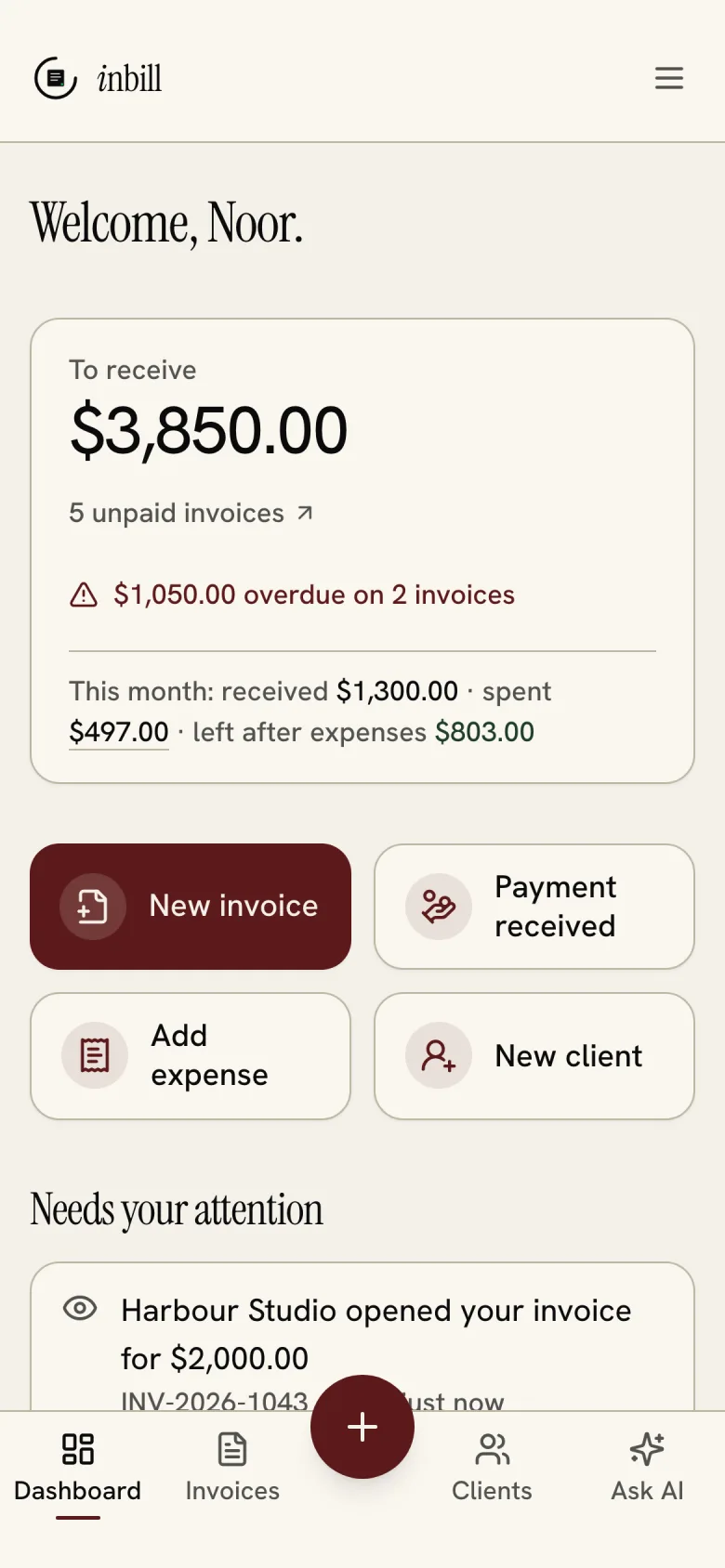
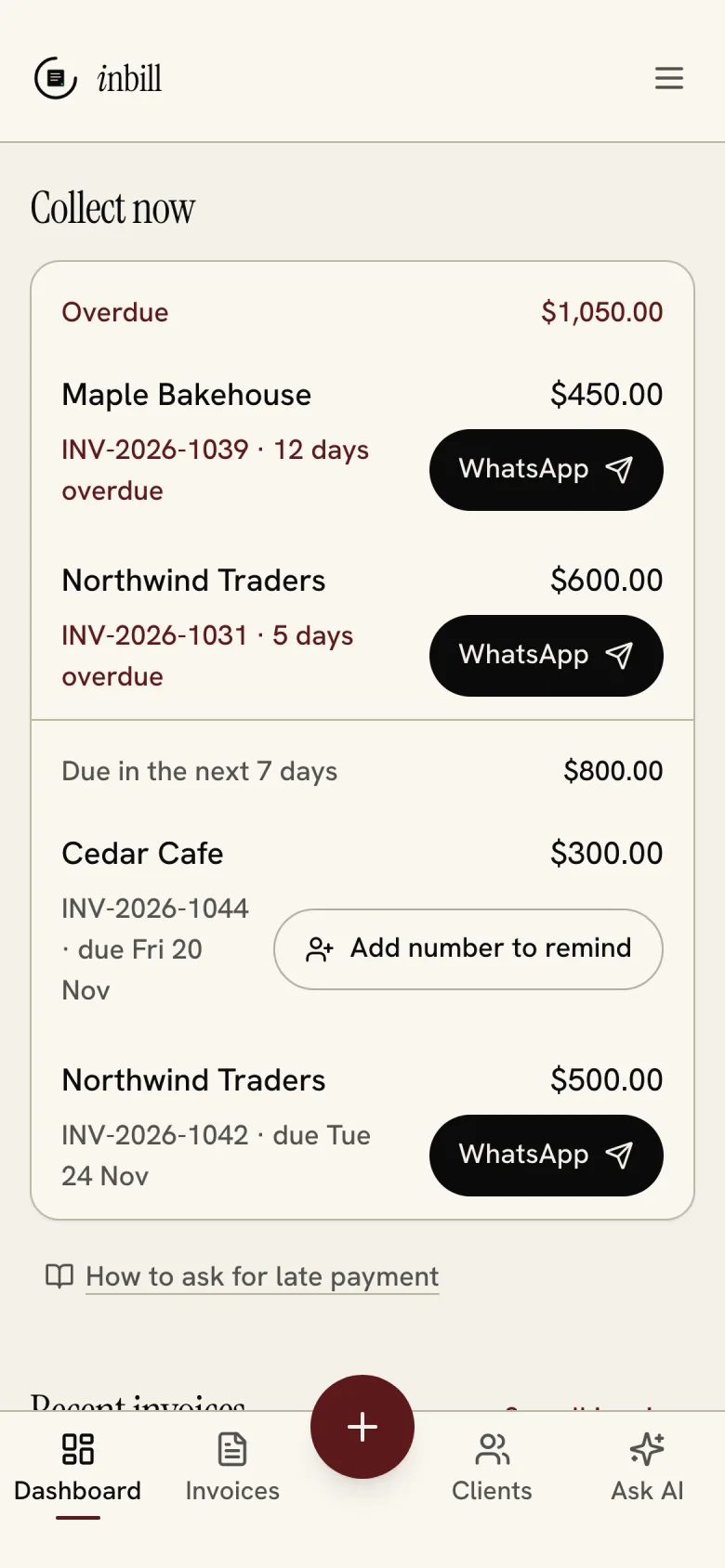
Inbill is a free invoice maker app for Android, on Google Play. Make invoices and quotes on your phone, send them on WhatsApp, by email or as a link, see who opened them and who has paid, and track expenses with a receipt photo. It uses the same account as the website, and the Free plan covers 10 invoices a month.
By Asad Mahmood, founder of Inbill.
Last updated
Free for 10 invoices a month. Pro is $4.99 a month. No card needed to start.
Install
Download the invoice app from Google Play
Tap Get it on Google Play on this page, or search "Inbill" in the Play Store. The download is free and the app runs on Android 7.0 or newer.
- Open the app and swipe through the short intro, or skip it.
- Sign in, or create a free account. If you already use Inbill on the web, use the same account.
- A new account gets three quick steps: your business details, how clients pay you, and your first client.
Make
Make an invoice or a quote on your phone
Type the lines, or tap the microphone and say what you did. In the app, voice uses your phone's own speech recognition. You can also paste a WhatsApp or email chat and Inbill drafts the invoice for you to check.
Quotes work the same way. Your client accepts or declines a quote on its link, and one tap turns an accepted quote into an invoice. Read more about the voice invoice app.
Send
Send it on WhatsApp, by email or as a link
The send sheet opens WhatsApp with the message and link ready (straight to your client's chat when their number is saved), sends an email, or copies the link. The PDF goes through Android's share sheet, so it can go to any app on your phone.
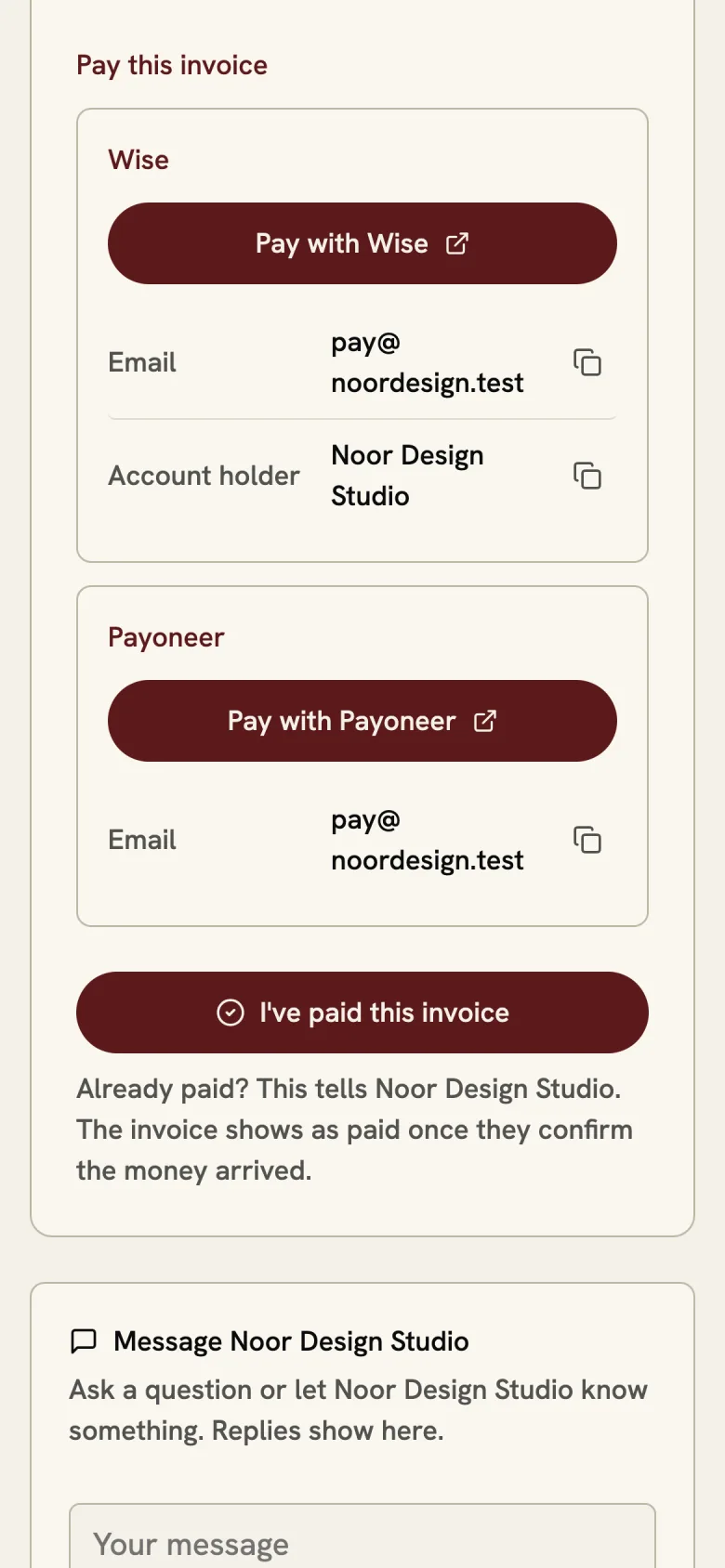
Your client opens the link and sees how to pay: your Wise, Payoneer or bank details, or a card payment link. When they tap "I've paid", you see it in the app. Here is how to send an invoice on WhatsApp.
Built for a phone
What the Android app adds
- Weak signal: drafts, clients, expenses and payments you record save on the phone and upload later. See the offline invoice app page for what waits for a connection.
- Receipt photos: point the camera at a receipt and the expense fills itself in (5 scans a month on Free).
- Notifications (if you allow them): a heads-up before a recurring invoice is made, and a quiet Monday note when money is due that week or a draft is still unsent.
- Links open the app: a link to your Inbill account from an email opens straight in the app.
One account
Same account on your phone and laptop
Everything lives in your Inbill account, so the phone and the website always show the same invoices, clients and payments. Upgrading in the app opens a secure checkout in your browser, and Pro works everywhere you sign in. There is no iPhone app yet; the web app works in mobile Safari with the same account.
Questions people ask
Is the Inbill Android app free?
Yes. The download is free and the Free plan includes 10 invoices a month, with no card needed. Pro is $4.99 a month or $49 a year for unlimited invoices and automatic reminders.
Which Android phones does it work on?
Android 7.0 or newer. That covers almost every Android phone in use today.
Can I use the same account on my laptop?
Yes. Sign in at inbill.net in any browser with the same account. Invoices, clients and payments are the same on both, and Pro bought on one works on the other.
Is there a billing app for PC?
There is nothing to install on a PC. Open inbill.net in Chrome, Edge, Safari or Firefox and use the full app there.
Is there an iPhone app?
There is no iPhone app yet; the web app works in mobile Safari with the same account.
Does the app work without internet?
Partly. New drafts, quotes, clients and expenses, edits to unsent drafts and payments you record save on the phone and upload when you are back online. Sending needs a connection.
Prefer a laptop? The same account works on the web.
Free for 10 invoices a month. Pro is $4.99 a month. No card needed to start.
Start free